Survive 7 Days In Desert Controls & Co-op Survival
Move, gather, and coordinate a lobby of up to 25 players through seven desert days.
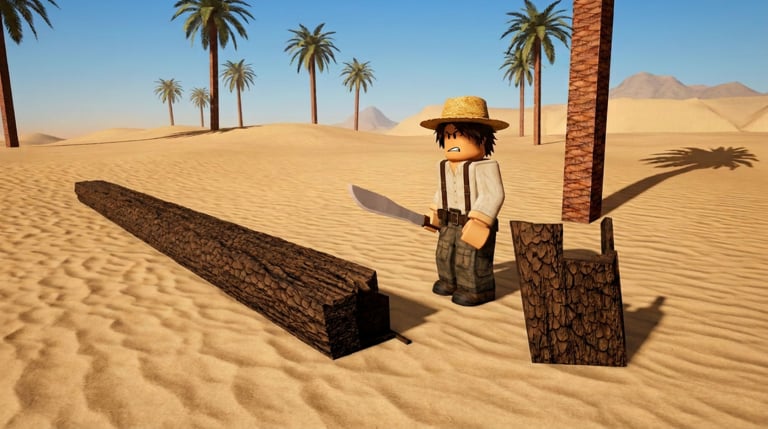
Survive 7 Days In Desert runs on familiar Roblox movement with a survival layer that punishes poor teamwork. This Controls Hub covers standard PC and mobile inputs, the 25-player server cap, and co-op habits that keep palm chopping, camp building, water purification, and heat management aligned through the Day 7 camel rescue. Pair it with Getting Started, the survival checklist, and the full Badges milestone list before your next session.
Christos Studios’ experience is online co-op on Roblox — not a single-player campaign. Peak interest already reaches thousands of concurrent users across servers, so you will often share the desert with strangers. Good controls get you moving; good callouts keep the camp alive.
PC controls (standard Roblox)
Most desktop players will recognize the defaults:
- W A S D — move
- Space — jump
- Shift — sprint (when the experience allows stamina-style sprint)
- Mouse — look / turn
- Left click / E / proximity prompts — interact with world objects depending on how the experience wires prompts
- Esc — Roblox menu / leave
Exact interact keybinds can vary slightly with experience settings and your Roblox client preferences. If a prompt appears on a palm, water station, or camp piece, follow the on-screen key. Rebind accessibility options in Roblox settings if you need them — do not download third-party “control unlockers.”
Movement discipline matters more than fancy keybinds. Sprinting everywhere during peak heat is a common wipe pattern. Walk with intent, break in shade, and treat every long traverse as a resource spend. Details live in Survive Heat.
Mobile and touch
On phones and tablets, Roblox provides virtual joysticks and tap-to-interact patterns:
- Left thumb — movement stick
- Right thumb — camera drag
- On-screen jump button
- Tap prompts when near trees, water systems, or camp interactions
Mobile players should lower camera sensitivity if over-flicking makes precise camp work hard. Play in landscape when possible so prompts and heat cues stay readable. If your device thermal-throttles in long sessions, reduce graphics in Roblox settings so you can still react to thirst and heat instead of fighting frame drops.
Co-op tip: announce “mobile” in chat if interactions feel slower for you so PC teammates do not assume you are ignoring water duty.
Server size and social reality
Servers allow up to 25 players. That is enough for powerful parallel chores — and enough for chaos if nobody leads. Expect:
- Mixed skill lobbies during high CCU periods
- Language mix across global Roblox audiences
- Some AFK or sightseeing players
- Occasional griefy behavior that wastes wood or ignores heat calls
You cannot forcibly turn every server into a tryhard raid team, but you can model clarity: short callouts, shared goals, and patience with newcomers reading Getting Started mid-session.
Co-op roles that actually help
Use simple roles tied to the verified loop:
- Chop squad — palm wood for camp and repairs (Build Camp), with cart support when loads grow (Wood Cart).
- Water tenders — purification uptime (Purify Water).
- Shade / heat watch — raise and defend canopy cover, keep recovery space usable, and call dangerous travel windows (Build Canopy, Survive Heat).
- Scout pair (later) — only after S-tier systems are stable (Early Priorities).
- Rescue prep lead (late week) — keep Day 7 in mind (Camel Rescue).
Rotate hard jobs. A single player stuck on water for six days burns out and quits, which feels like “the game broke” when the real failure was social. When the lobby wants prestige goals, point them at Badges so Shady Business, purify clears, and Long Haul attempts do not overwrite the camel plan.
Callout language that works in noisy chat
Prefer short tokens over essays:
water low/water okneed woodshade up/build hereheat — holdscout out/scout backrescue prep
Point teammates to the Tier List Hub if arguments start about what matters. Shared tiers beat vibes.
Etiquette for a survival lobby
- Do not dismantle shared shade for a private flex build without agreement.
- Do not hoard purified water equivalents if the design expects shared access — communicate.
- Do not demand scripts or codes; Codes are none yet, and Scripts are a ban-risk distraction.
- Help new players complete one successful purify or chop cycle instead of mocking them.
- If you must leave, say so so water duty can be reassigned.
Accessibility and comfort
Long desert sessions are easier with:
- Higher UI contrast where Roblox settings allow
- Lower motion if you get camera sickness
- Scheduled breaks that do not abandon critical chores mid-heat
- Playing with friends in a private preference when public lobbies are too chaotic (still online co-op — coordinate on Roblox as usual)
This wiki is fan-made; for official platform accessibility tools, use Roblox’s own settings and help pages.
Practice plan for new co-op groups
- Everyone skims Getting Started.
- Agree on Day 1 roles before first chop.
- Run the survival checklist at the end of Day 1 and Day 3.
- Review wipe causes against Resources rankings.
- Watch Updates so control habits match current WIP tuning.
- Skim Badges if the lobby wants canopy, cart, or camel milestone goals.
Official destinations remain the Roblox game page and Christos Studios group — see the Links Hub.
Bottom line
Controls are standard Roblox WASD and mobile touch; mastery is when you move and how you split work in a 25-player desert. Keep interactions prompt-driven, call heat and water early, and treat co-op roles as part of the control scheme. The camel does not rescue chaos — it rewards lobbies that moved with purpose for seven days.
Frequently Asked Questions
Quick answers to the most common desert survival questions.
What are the basic PC controls?
Use standard Roblox WASD movement, mouse look, jump, and on-screen proximity prompts for chopping, water, and camp interactions.
How many players can join one server?
Survive 7 Days In Desert supports up to 25 players per server.
What co-op roles should we use?
Split chop, water purification, shade/heat watch, and later scouting or rescue prep so S-tier systems never sit idle.
Do mobile players use different strategies?
Inputs differ (touch sticks and taps), but priorities match PC: manage heat, keep water online, and communicate role limits clearly in chat.
Where is the badge list for this game?
Open the Badges page under Players for Shady Business, hut night, purify, cart haul, camel clear, and the unpurified-water warning badge.